LUXD Products · LUXD VPN
One click,
checked properly.
A personal WireGuard client for Windows, built to connect to servers you choose and to say Protected only when it has checked: the handshake has completed and your public address has changed.
In development · v0.1
See it
on screen.
Filmed on the real screens, using sample data. Every scene is written out underneath.

The film could not play here. Everything it shows is written on this page.
Read what the film shows
Opening
LUXD VPN: one click, checked properly. A WireGuard client for servers you choose, shown in its browser preview on sample data.
Connect
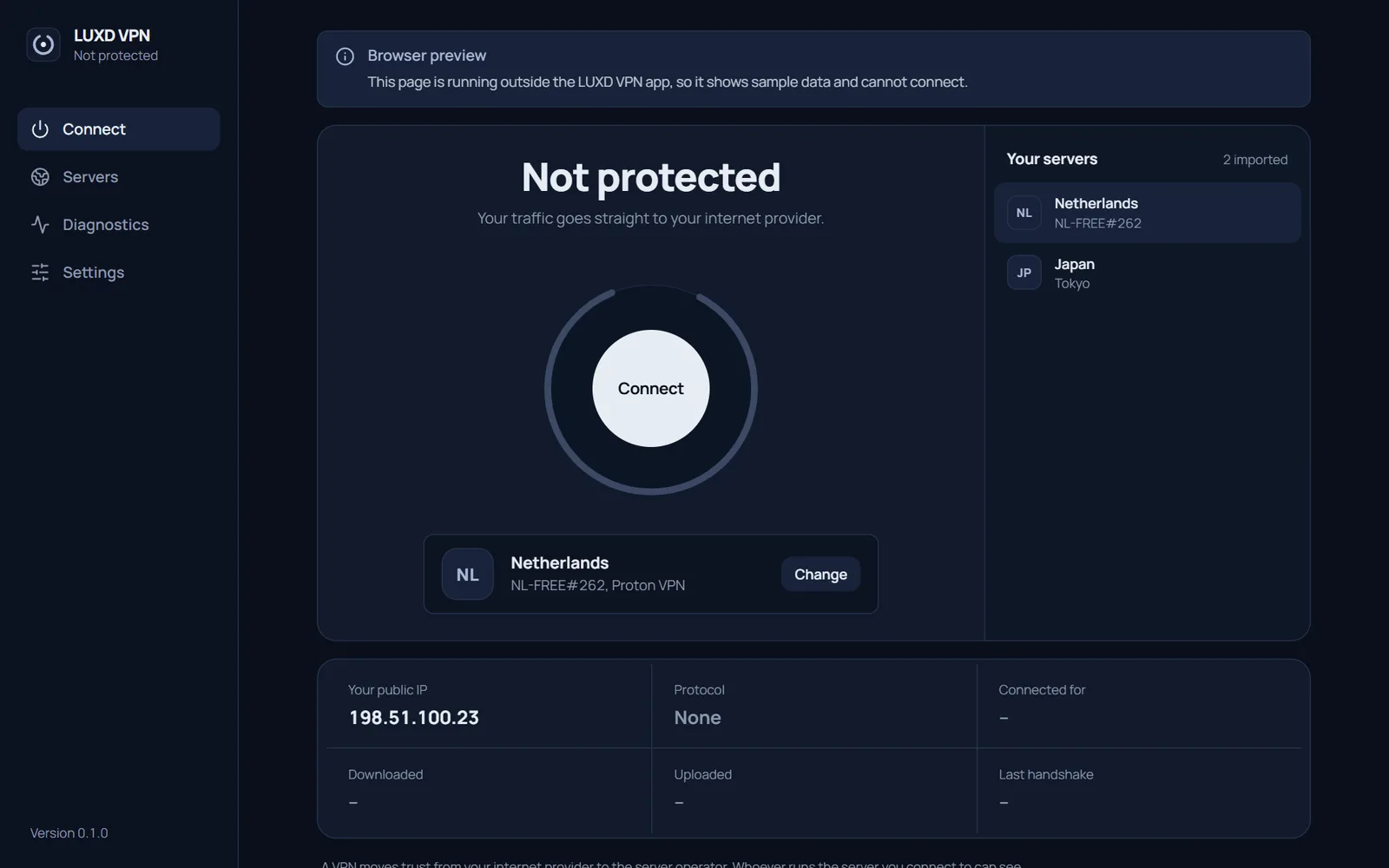
Not protected, and it says so: your current public address and the server you picked.
Verify
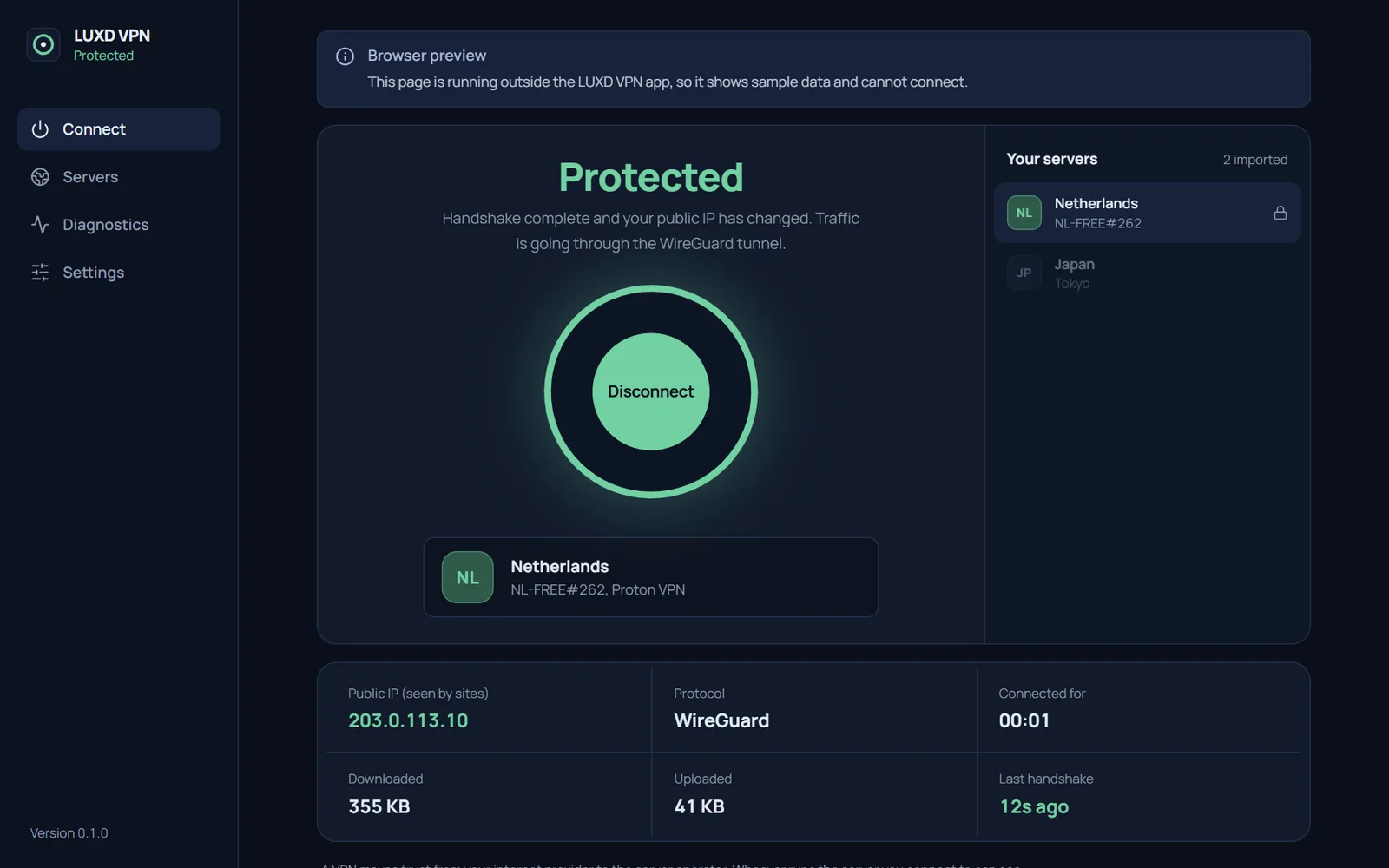
It says Protected only after the WireGuard handshake completes and your public address has changed.
Protected
A new address, confirmed, with traffic, connection time and the last handshake.
Servers
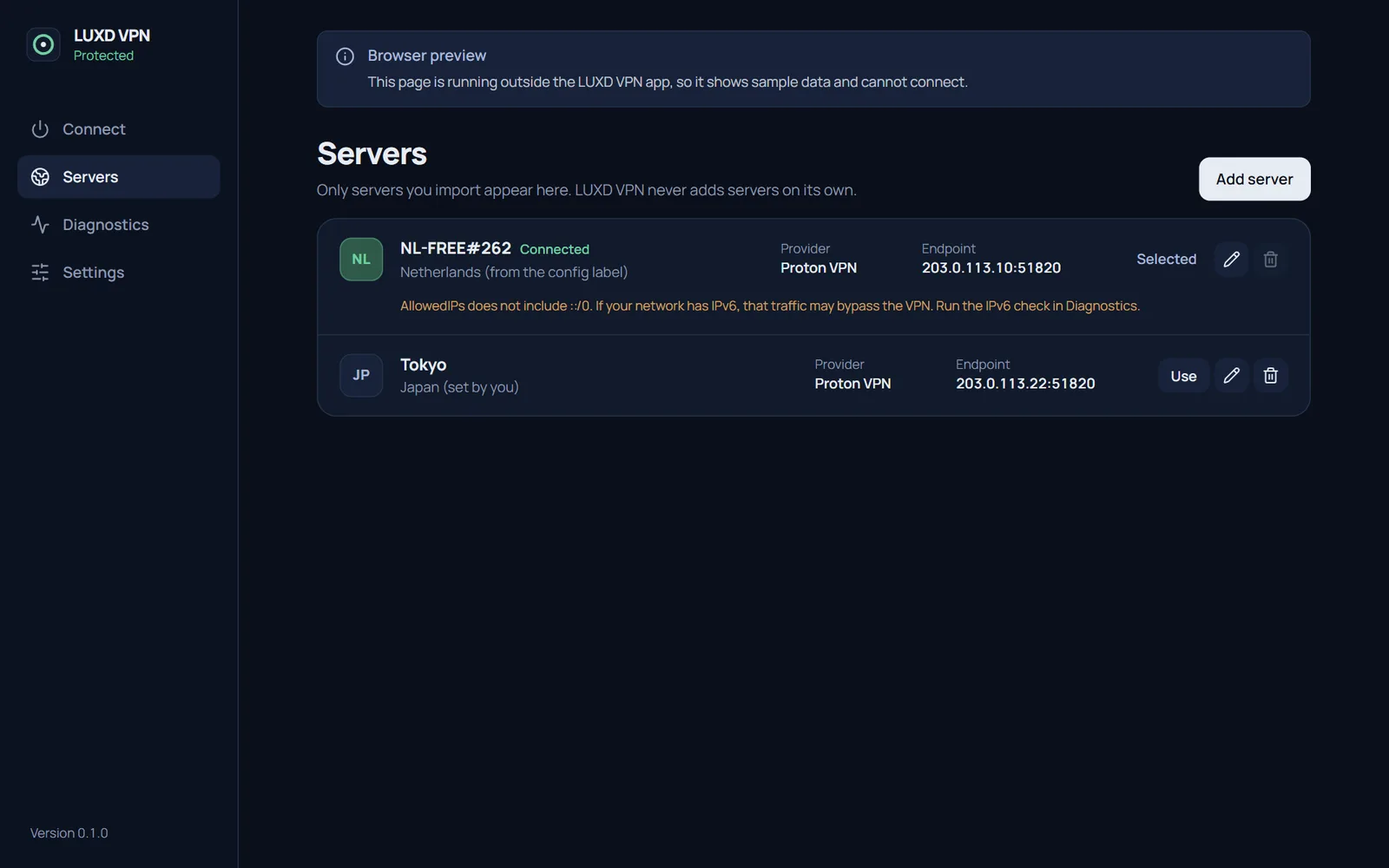
Only servers you import, from a provider you choose. Risky lines are refused at import.
Diagnostics
Check your address and test for DNS and IPv6 leaks yourself.
Close
LUXD VPN, in development. A VPN that shows its working.
Click through
the screens.
Press the outlined control to move through the screens, or use Next. Arrow keys work too.
Step 1 of 5
Not protected
Your real public address, and the server you picked. Press Connect.
Step 2 of 5
Protected
Only after the WireGuard handshake completes and your public address has changed.
Step 3 of 5
Your servers
Only configs you import, from a provider you choose. Risky lines are refused.
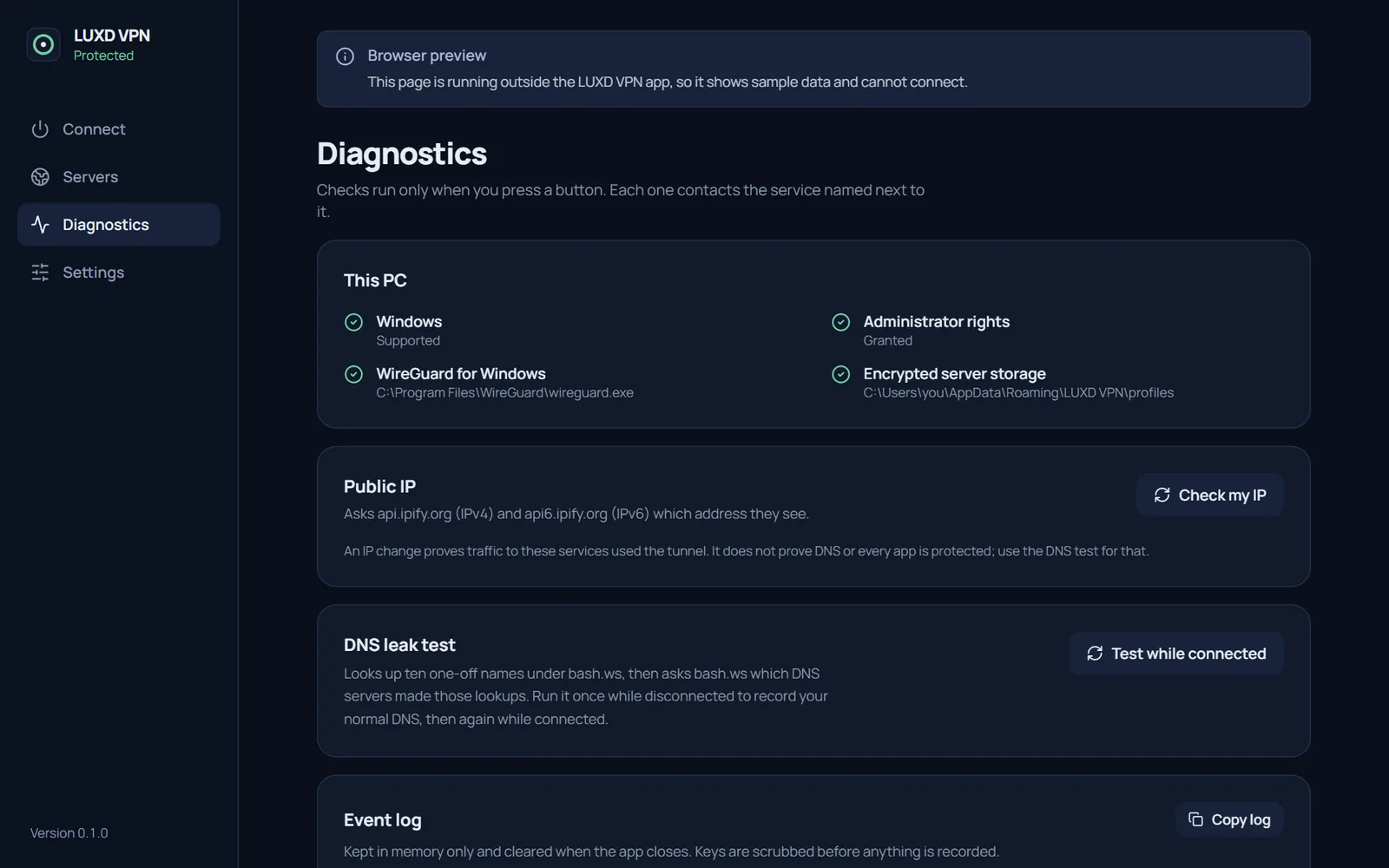
Step 4 of 5
Diagnostics
Check this PC and your address yourself. Press Check my IP.
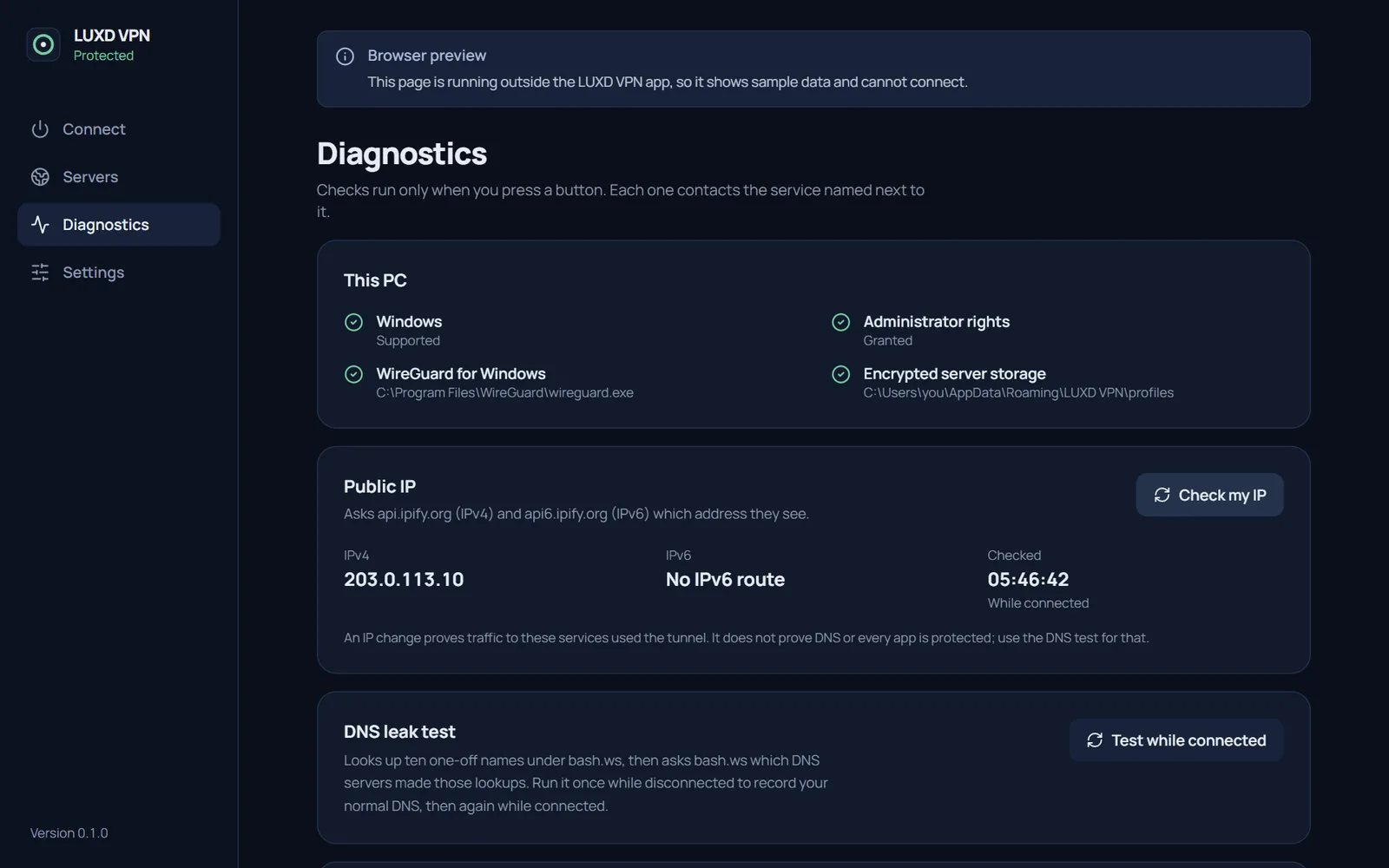
Step 5 of 5
Checked
The address the world sees, and where it came from. Leak tests sit underneath.
Why it exists
The same goal: subscriptions to zero.
The VPN subscription was the next one on William's list. Free WireGuard servers already exist, and the official WireGuard for Windows service is free, so what was missing was a clear app on top.
LUXD VPN contains no VPN cryptography of its own. It checks your configuration, refuses settings that could run commands, and hands the tunnel to the official, signed WireGuard for Windows service.
What it
does.
- WireGuard
- Servers you import
- Configs encrypted on your PC
- Sends no usage data
Honest status
Built to say Protected only after the WireGuard handshake completes and your public address has changed. Anything less rolls back.
Your servers only
Import configs from a provider you choose, including free plans. Lines that could run commands are refused.
Keys encrypted
Built to encrypt configs with Windows' own data protection, and to keep keys out of logs and off the screen.
Test it yourself
Check your address and look for DNS and IPv6 leaks, with the result in plain words.
Where it
stands.
A VPN moves trust from your internet provider to whoever runs the server. Version 0.1 has no kill switch: if the tunnel drops, the app tells you, but traffic then flows normally.
- Version
- 0.1
- Platform
- Windows 10 and 11, with WireGuard for Windows
- Servers
- None of its own: configs you import
- Status
- Not yet tested on Windows
Help test
version 0.1.
Testing on Windows starts next. If you use WireGuard already, or would like to try it with a free server, tell William.
Also from
LUXD Products.